Stripe takes the card or bank payment when a client presses Pay on their order link. The money lands in your bank account; the app records the payment on the order the moment Stripe confirms it.
What it is
A payment processor, like a card terminal for the web.
Cost
No monthly fee. At the time of writing 2.9% plus 30 cents per card payment in the US, less for bank payments. The app can add a card fee to the quote if you want the client to carry it (Settings, Sales, Payments, Payment settings).
Time
20 minutes. Stripe may ask for identity documents before the first payout.
You will write down
The secret key (starts with sk_) and a webhook signing secret (starts with whsec_).
Part A: the account
Open stripe.com, press Start now, sign up with the company email, confirm it.
Press Activate payments and fill in the business details, the owner's details and the bank account payouts go to. Submit. You can keep going while Stripe reviews it.
At the top right there is a Test mode switch. Leave it on for now: you will rehearse with a test card first.
Part B: the two codes
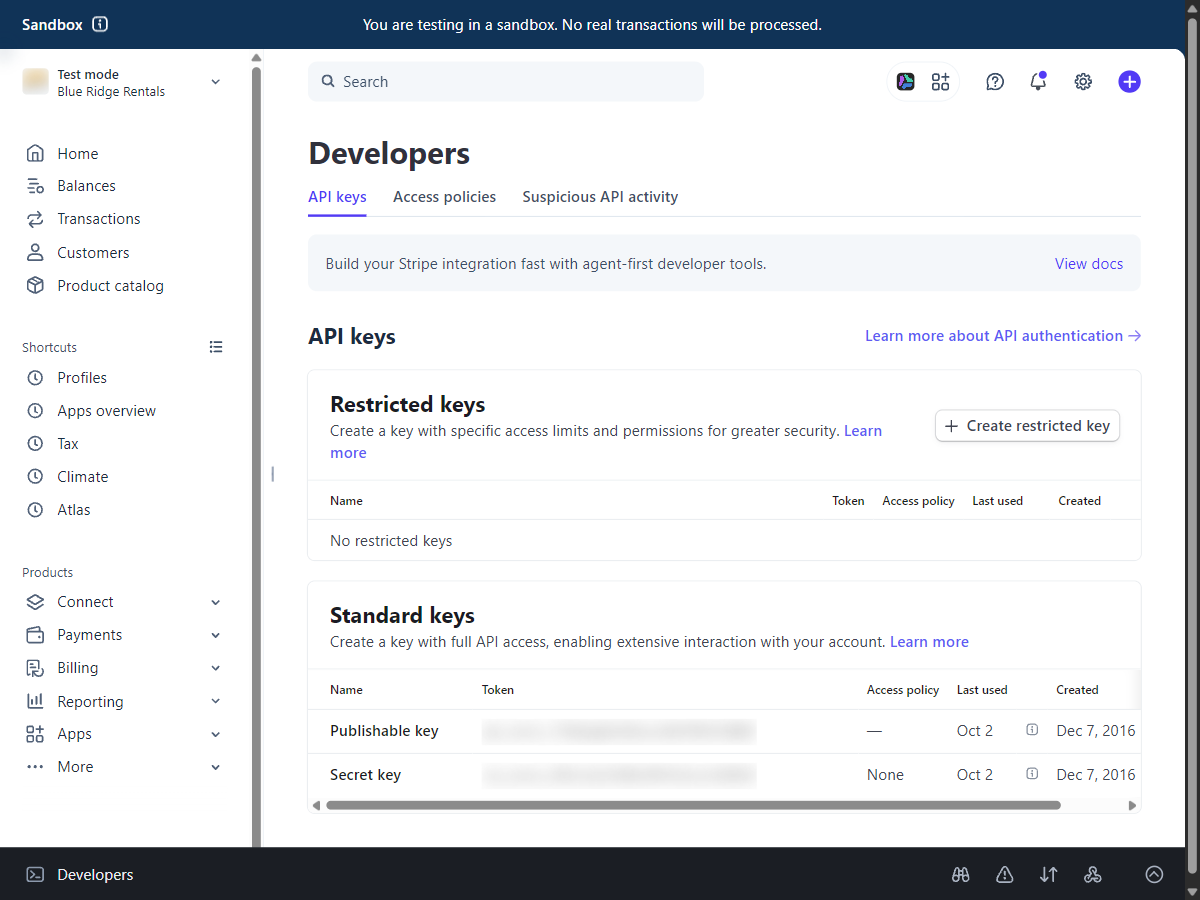
Left menu: Developers (bottom left; on newer dashboards it is a button at the top), then API keys. Under Secret key press Reveal test key and copy it (it starts with sk_test_).
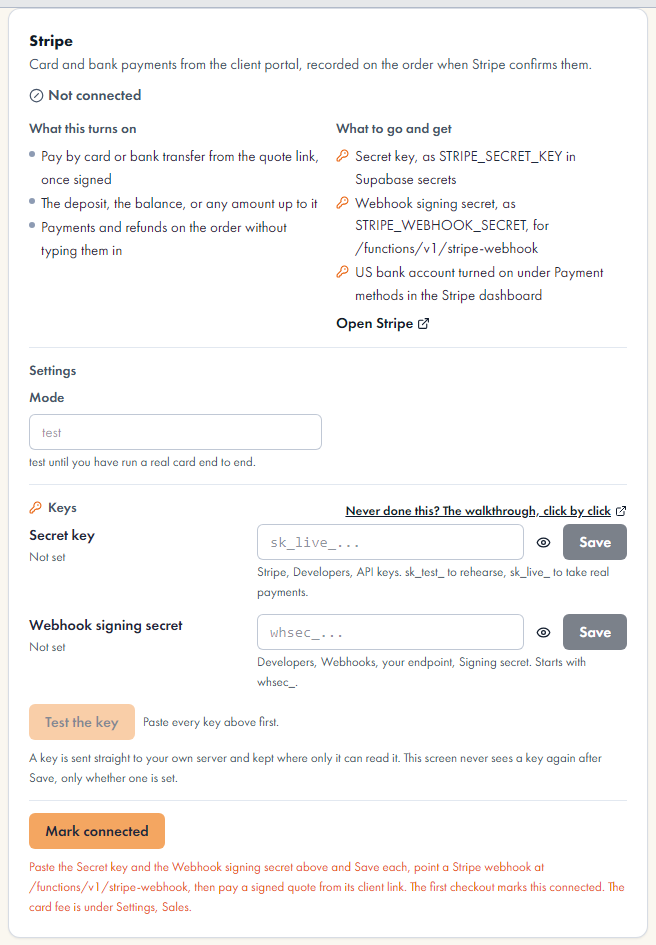
In the app, Settings, System, Connections, Services, the Stripe line, paste it in Secret key, Save. Press Test the key: it should say Stripe accepted the key, test mode.
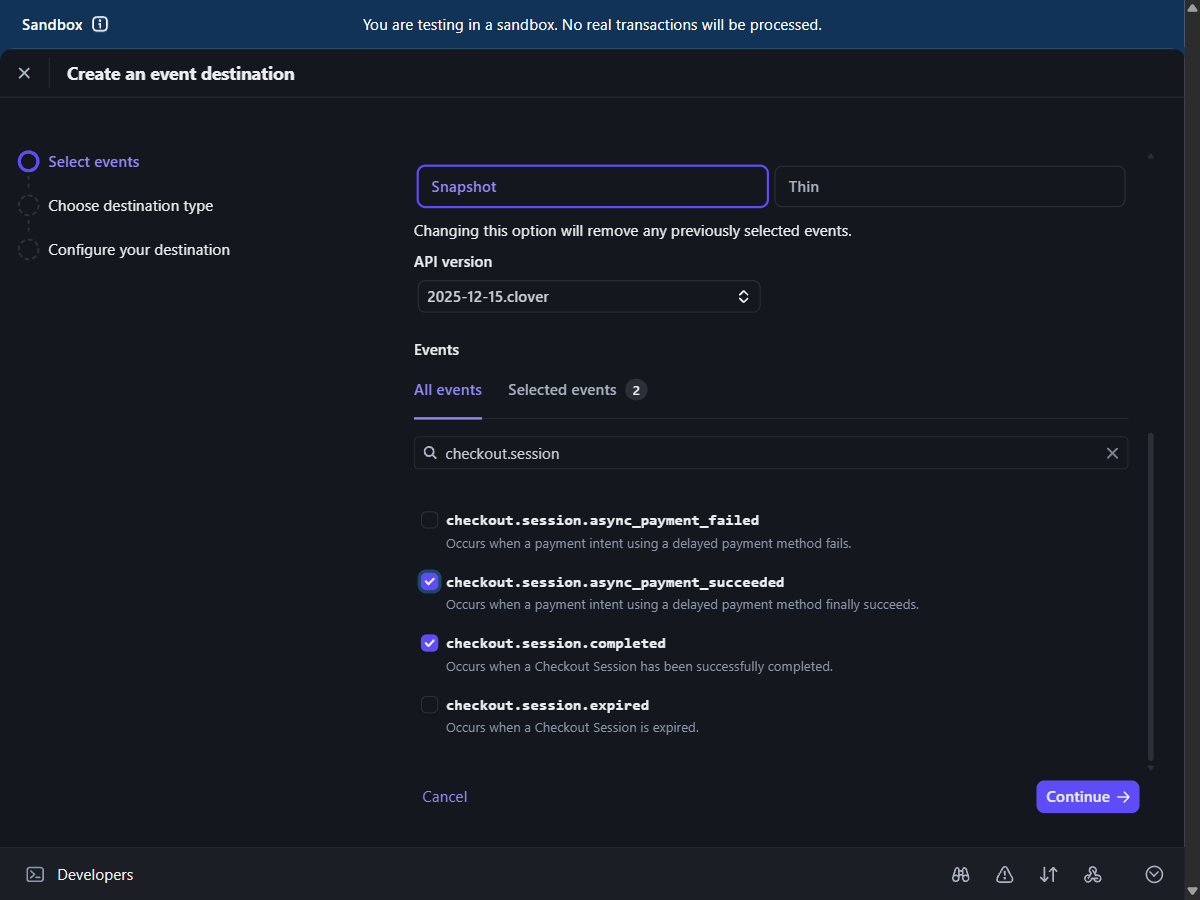
Back in Stripe: Developers, Webhooks, Add endpoint. Endpoint URL: your Project URL followed by /functions/v1/stripe-webhook, for example https://abcdefgh.supabase.co/functions/v1/stripe-webhook. Under Select events tick checkout.session.completed and checkout.session.async_payment_succeeded. Press Add endpoint.
On the endpoint's page press Reveal under Signing secret, copy it (starts with whsec_), paste it in the app under Webhook signing secret, Save.
Developers, API keys, in test mode. The Secret key row is the one to reveal and copy.Adding the endpoint: type checkout.session in the search box and tick the two events shown, then Continue.The Stripe card in the app. The secret key and the signing secret each get a box.
Part C: a rehearsal, then live
In the app make a quote for yourself, sign it, and open the order's client link. Press Pay and use the test card number 4242 4242 4242 4242, any future date, any three digits. The order shows the payment within a few seconds.
When Stripe has activated your account: switch Test mode off, go to API keys again, reveal the live secret key (sk_live_), paste it over the test one in the app. Then Webhooks in live mode: add the same endpoint with the same two events (test and live have separate endpoints and separate signing secrets), and paste the live signing secret into the app.
Press Test the key once more: it should now say live mode.
Done when: a test payment appeared on an order, and Test the key says live mode.